Enable Expert Advisor Automation
Step 1
Open your MT5 Platform and log in to your account.
Step 2
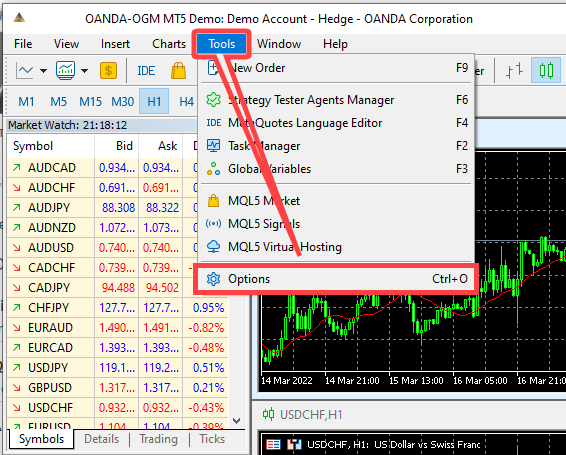
Click on "Tools" and select "Options".
Step 3
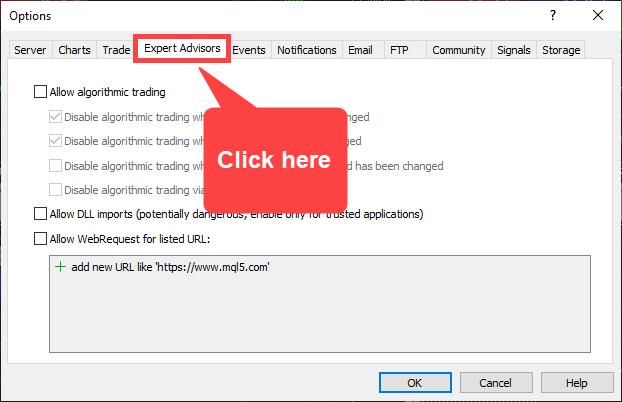
Once the "Option" panel is opened, click on "Expert Advisors" tab.
Step 4
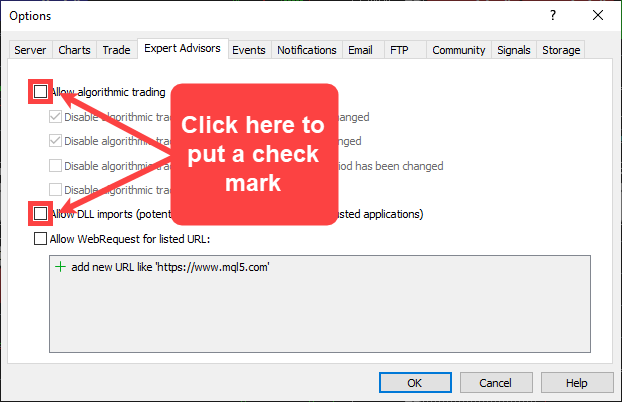
On the "Expert Advisors" tab, click on the box next to "Allow algorithmic trading" and "Allow DLL imports" to put a check mark on it.
Step 5
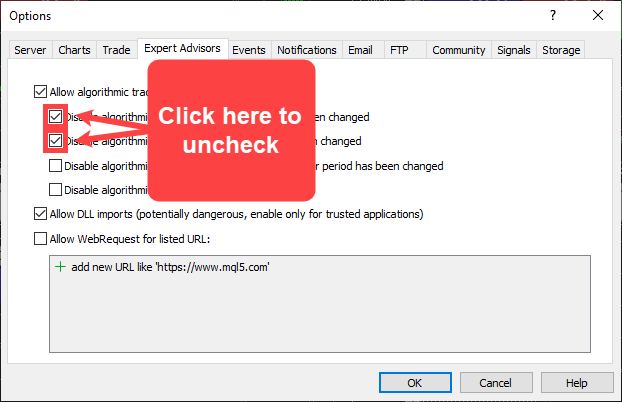
Uncheck the box next to "Disable algorithmic trading when the account has been changed" and "Disable algorithmic trading when the profile has been changed" by clicking on it.
Step 6
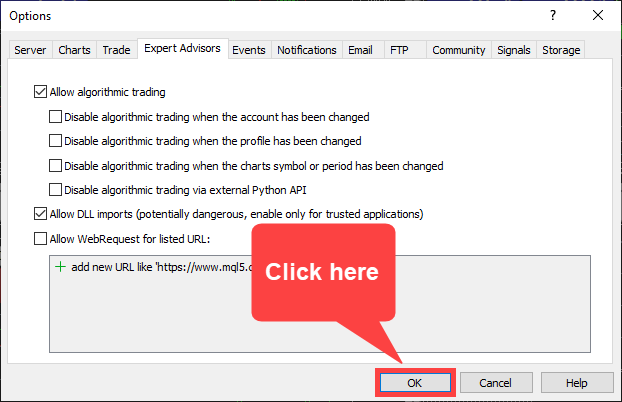
Click on "OK" to continue.
Step 7
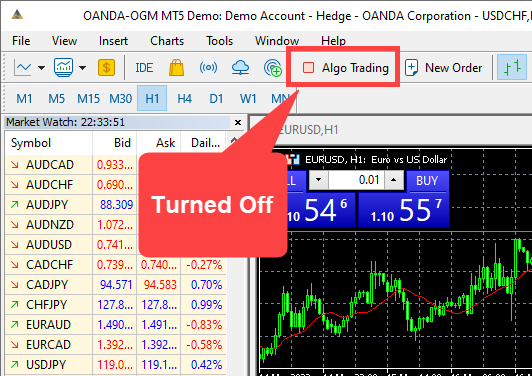
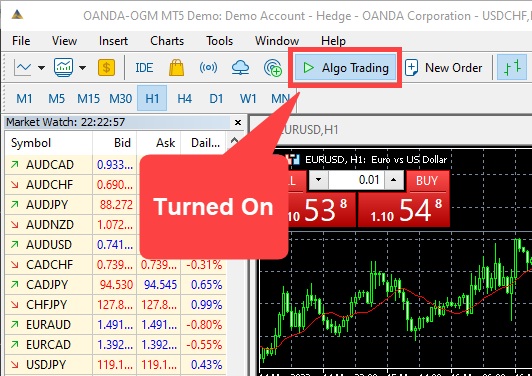
Once it is completed, you'll notice the green "Algo Trading" button on the tool bar to signify that the MT4 is now ready to use Expert Advisors.
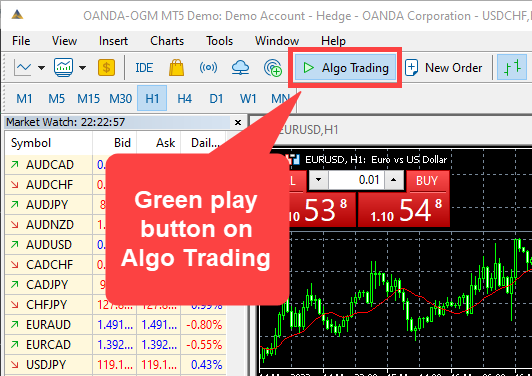
Note: You can also toggle on the "Algo Trading" button to turn off or on the use of Expert Advisor.